


Showing posts with label Blogging Basics. Show all posts
Friday, July 29, 2011
How to use StumbleUpon Effectively
StumbleUpon is a tool similar to a search engine. The difference is that StumbleUpon searches the internet for search results based on a users preferences. You must first create an account with StumbleUpon and create a profile. Based on your likes or interests, StumbleUpon will return search results or you that will be more on target that regular search engine results. Each time you use StumbleUpon and like or dislike something, you create a better search experience for yourself and StumbleUpon will return even better results the more you use it.
StumbleUpon can especially be influential and beneficial as a blog owner. The more blog content viewers Stumble and Like, the more your blog posts will show up in search results. The more your blog posts show up in search results, the better ranking you will receive with services such as Alexa and Google Pagerank. Using the StumbleUpon "I Like it!" button is similar to the Google +1 button or the Facebook "Like" button you see in the share buttons usually underneath blog posts. I'm a firm believer in paying it forward. If you like a particular blog post, why not give them a little extra attention that they deserve by Stumbling the post using the "I Like it!" button using the browser toolbar extension. Chances are you will be returned the favour in the future.

Labels:
Blogging Basics,
How to,
Tutorial
Thursday, July 28, 2011
How to Add the Google +1 Button to Blog Posts
As you read in the tutorial How to Stumble Like and Google +1 Effectively about the importance of utilizing these tools together. This tutorial will tell you the why's and the hows.
What is this fancy new button appearing everywhere on blogs and sites alike these days? Basically the Google +1 button is similar to the Facebook "I Like it" button you see at the end of posts. It's a way to tell people publicly that you like a specific post and where a person can find it. Posts that have been considered +1 worthy by readers show up in search engines more often and increase traffic for relevant content. To read more about Google +1, go here.
Labels:
Blogging Basics,
Share Buttons,
Tutorial
Saturday, July 23, 2011
How to Stumble Like and Google +1 Effectively
I've been meaning to post articles on the importance and benefit using Stumble and the new Google +1 but in the meantime, I want to show you how to use these together when you find an article or post that you list or think someone else would appreciate. Stumble and Google +1 articles coming soon...
Labels:
Blogging Basics,
google,
stumble,
Tutorial
Triberr Benefits Bloggers
If you have not heard of Triberr yet and you're a blogger, you must be living under a rock. For the rest of you, the newbies OR bloggers that just don't know enough about Triberr yet, let me enlighten you. :)
Triberr is a FREE service that allows others to publish your new posts on Twitter automatically and vice versa. Why would you want to do this? To reach a larger audience than you already have. You cannot "join" Triberr, you must first be "invited" by another member. If you are a newbie and would like an invitation, let me know and I will send you an invite. I'm specifically looking for bloggers who regularly post in the categories of DIY/New House Construction/Renos, DIY Crafts and Blogging Tutorials but I will consider other bloggers. :)
Labels:
Blogging Basics,
Triberr,
Tutorial
Thursday, July 21, 2011
How to NOfollow Labels in Blogger
There are several reasons you should use a rel="nofollow" code on your blog. One of the main reasons is because Google bots routinely scan your blog, including your label or category tags that often return crawl errors. If you have completed my tutorial on Links In and How to Fix Broken Links, you probably already noticed that you have a few of these crawl errors yourself. You can eliminate a lot or most of these label errors by simply adding the rel="nofollow" code into your blog template. How do you do that?
Labels:
Blogger,
Blogging Basics,
How to,
Tutorial
How to Use ALT Special Symbols
If you type, chances are you will run into the need for special characters or symbols now and then such as copyright or trademark symbols. Most of the symbols I use on a regular basis I remember the type sequence for but there are some that I do need to look up every once in awhile. There are too many to mention so I have listed a handy chart below for a quick reference:
Labels:
Blogging Basics,
How to,
Symbols,
Tutorial
Wednesday, July 20, 2011
How to Fix Broken Links
Broken links are a real pain. Not only are they frustrating for readers when they are navigating your blog, they damage your Google Pagerank. When the Google bots scan your site and find broken links, they log each one, as you can see in this picture below:
If you don't know how to find your crawl errors, read my Links In Tutorial I wrote earlier. You will have to complete up to step #3 to find the screen where you will see the "Crawl Errors" for your blog.
Labels:
Blogging Basics,
Broken Links,
How to,
Tutorial
Monday, July 18, 2011
How to Find Total Links Into Your Blog
Have you ever wondered how many links you have into your blog? If you monitor your stats, your links in to your blog are equally as important as many other statistics. Your links in affect your Google Pagerank; the more links to your blog from other places on the web, the better your rank is. I won't tell you how to get links to your blog, at least not in this tutorial, but I will tell you where to find your links in for Blogger.
2. As you see in the picture below, you will see your Google Accounts screen. Locate and click the "Webmaster Tools", as circled in the picture.
3. You'll arrive at the Webmaster Tools screen. If you haven't already added a site, you will need to do this first. After adding, you will need to wait until the next crawl (could be a day or up to a couple weeks) before seeing any data. This is because Google needs time to scan the web and locate where you place on the web, as well as which blogs and sites link to your blog. If you've already done this or you have waited awhile already, click the site you would like to know your links in for.
4. In my case, I clicked the Blogger www.thislilpiglet.net link. You will arrive at another screen with a lot of details about your blog. On the left sidebar you will want to click on "Your Site on the Web" to expand the menu and then click on "Links to Your Site".
5. You will now see a list of the who links to you the most, your most linked content, popular keywords in relation to your blog and most importantly your "Total Links" in, as I have circled in the picture. This may be a statistic you might want to include in your media kit.
If you liked this tutorial, Keep checking back. I will be posting more tutorials and details of other smart ways to use Webmaster Tools.
Labels:
Blogger,
Blogging Basics,
How to,
Links in,
Tutorial
Saturday, July 16, 2011
How to Locate a Tweet or Facebook Post URL
Most of you probably know how to do this but for the new bloggers or anyone else who may not know I'm going to give your a quick tutorial how to find the URL's for a specific Twitter tweet or Facebook post.
Labels:
Blogging Basics,
Facebook,
How to,
Tutorial,
Twitter
Tuesday, June 28, 2011
Move Over Google Page Rank; Bring on MozRank
Why is GPR on it's way out and MozRank on it's way in? Well, GPR isn't really on it's way out, it's just unreliable and not because of the algorithms it uses to rank your site (they rank 1-10 like MozRank) but because their system isn't update on a regular enough basis.
"MozRank is SEOmoz's general, logarithmically scaled 10-point measure of global link authority or popularity. and is very similar in purpose to the measures of link importance used by the search engines (e.g., Google's PageRank)." If it's so similar to GPR, why bother? Because MozRank not only is not as judgmental, meaning it doesn't punish your rank for silly rules such as moving from Blogger to WordPress, MozRank updates regularly which is extremely important in the blogging world where stats are everything when building PR relationships.
Many companies will not consider building a relationship with bloggers who are below a certain GPR. This is not to punish you as a blogger, it is a safety net for companies. When marketing budgets are taken into account, companies want to ensure they are maximizing their targeted marketing plan. What we need to do as bloggers is to educate. Not only is GPR important but there are so many other statistical factors to take into account when deciding whether a blogger or website is worth building a relationship with, such as the blog or sites Alexa rank, MozRank, size of readership, including pageviews and uniques. In the exploding world of social media, social media account statistics are important as well (Twitter, Facebook, etc.)
I first read about the MozRanking system via Simply Stacie. My stats aren't nearly as impressive as Stacie's but I'm getting there. The point is that if a high ranking, high traffic blog such as Simply Stacie is having issues with GPR, and she's not the only one, then possibly the GPR isn't as important as we all once thought it was.
To check your own MozRank stats go to:
- Website Grader - You will see a bunch of stats and somewhere near the bottom will be your MozRank. This Lil Piglet ranks at a 3 here.
- Open Site Explorer - Once you type in your URL, click on the "Full List of Link Metrics" to find your MozRank. This Lil Piglet ranks at a 3.04 here.
- Website Analyzer - This one was my favorite because it analyzes every detail of your blog (labels, SEO, backlinks and even a Fake Pagerank Checker). This Lil Piglet ranks at a 3.04 here. Website Analyzer also offers a prediction for your GPR. Currently my GPR is a 2 and is predicted to be a 3 at the next GPR update. Of course that would depend on at what future date GPR decides to update.
Labels:
Blogging,
Blogging Basics,
Blogging Resources,
Google Pagerank,
GPR,
MozRank
Wednesday, June 8, 2011
Ready to Make the Switch from Blogger to WordPress?
This Lil Piglet has teamed up with Blogelina to bring you this affordable option to transfer your blog from Blogger to WordPress. Here's what Blogelina has to say:
The Total Blogger to WordPress Transfer Package
Have your blog transferred and save!
Why Make the Move?
The process of transferring your blog from either Blogger or WordPress.com to a hosted WordPress site can be a daunting one, but experts tend to agree that the move is an important one to make.
- Less down-time for your blog! The hosting company that your hosting will be set up with guarantees 99.9% uptime.
- No Meltdowns! You will no longer be at the mercy of Blogger for when you will or will not be able to access your blog (so you’ll never have to worry about that screen on the right).
- More options for customizing your blog. With WordPress.org, plugins and theme features, you can make your blog into anything! The options are limitless when it comes to customizing your blog.
Tuesday, June 7, 2011
DIY Blogger to WordPress Transfer While Keeping Your GPR
Are You Ready to Graduate to WordPress?
If you are ready to make the move to WordPress, this is the guide you need! It outlines the exact steps to rewrite your permalinks, retain your back-links for SEO, keep your blog readers, and redirect your domain name. Are you ready to make the move?
Many people start their blogs on Blogger – it’s convenient, it’s free and it’s easy to use. It’s a perfect option to get your feet wet on the Internet.However, if you’re running a business or you hope to make money online, you probably realize that you’ve outgrown freebie blogging. And that’s when it’s time to move to WordPress.
- You know WordPress is more professional.
- You know WordPress offers functionality that Blogger doesn’t.
- Every blogger you admire keeps telling you it’s time to make the switch.
Start Profiting from Your Blog in 4 Weeks: An Online Class
As mentioned, This Lil Piglet has teamed up with Blogelina to bring you this 4 week online course to take your blog to the next level and start making a profit. Here`s what Blogelina has to say:
If you’re just getting started with blogging – or you’re looking for ways to take your blogging to the next level – consider joining us for this exciting 4-week class.
Imagine, Earning an Income from YOUR Blog!
What You’ll Get From This Online Class:
- The Class Manual – packed with 60 pages of information that will help take the overwhelming out of starting your own blog
- 4 weekly online class sessions where you can ask your questions and get personalized feedback
- A FREE Year of Web hosting! I’m also pleased to announce that Blogelina is partnering with GoDaddy.com to provide each person who registers for Blogelina’s Online Class complimentary year of web hosting ($84 value)! That’s right – no strings attached, no hidden requirements… Just register for the class through the button below and start building your profitable blog today – on us! (Wondering why paid web hosting is so important for your blog? Oh, did I mention that the pros recommend it?)
- Save yourself a lot of time, trouble, and money – learn from my own experiences what to do and not to do!
Basic Blogging for Beginners: The Online Class
This Lil Piglet is proud to announce that we have partnered with Blogelina to bring you this online class for Blogging Beginners. If you`re new to WordPress, this class will benefit you too! So what does Blogelina have to say about this special class? Read the following details ...
Incredible as it sounds, keep in mind that everything listed below is yours for just $10 (it’s valued at over $100) – no gimmicks, surprises, or hidden fees!
If you’re new to WordPress, this is the class for you – get your questions answered!
What You’ll Get From This Online Class
- The Class Manual – packed with 35 pages of information that will help take the overwhelming out of starting your own blog
- 4 weekly online class sessions where you can ask your questions and get personalized feedback
- A FREE Year of Web hosting! I’m also pleased to announce that Blogelina is partnering with a major web hosting provider to give each person who registers for Blogelina’s Online Class complimentary year of web hosting ($84 value)! That’s right – no strings attached, no hidden requirements… Just register for the class through the button below and start building your profitable blog today – on us! (Wondering why paid web hosting is so important for your blog? Oh, did I mention that the pros recommend it?)
- Save yourself a lot of time, trouble, and money – learn from my own experiences what to do and not to do!
Labels:
Blogging Basics,
Blogging Resources,
Online Class
Sunday, June 5, 2011
More on Wordpress Setup
Moving into the last phase of the dirty work in my opinion, we are going to finish setting up our blog, So You Wanna Start a Blog in the Dashboard before moving on to working through a theme. For me, I want to get to the writing as quickly as possible and often get through the basics and then go back and add the frills as I find I need them. With that in mind, you will need to be logged into the “Dashboard” and then scroll down to the “Settings”.
Friday, May 27, 2011
Personalizing Wordpress
Each and every person who installs and sets up a blog will give you a few pieces of advice that are set in stone. After those basic pieces of technology are covered, the process turns into personal preferences. Obviously I’m going to give you some of the low down necessities, some of my secrets and some of my opinions. From this point, very few of the steps outlined must be done in any particular order, if so; I’ll make a note of that for you.
Labels:
Blogging Basics,
Blogging Resources
Tuesday, May 17, 2011
Concentrating on a WordPress Set Up
Now that we have registered the domain name, So You Wanna Start a Blog, and we’ve secured hosting for our blog, we can get a few more technical details out of the way. Let me tell you that there are various hosting sites and the best host for you is the one that fits your needs as far as costs go. My general opinion is to start small and upgrade later if you need more frills. Once you’ve made up your mind and initiated the set up process, you will receive a set of “nameservers”. That string will look something like “ns1234.yourhostingcompany.com” and “ns1235.yourhostingcompany.com”.
Labels:
Articles,
Blogging Basics,
Blogging Resources
Wednesday, May 11, 2011
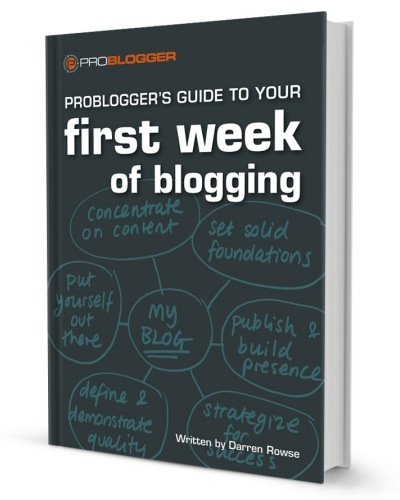
50% OFF New Ebook - ProBloggers Guide to your First Week of Blogging
ProBlogger’s Guide to your First Week of Blogging

It can be overwhelming when starting a blog. You’ve got a lot of decisions to make…
- niche selection
- audience targeting
- content planning
- social media and promotions
- post ideas
- and more
Making great early choices is vital to the long-term success of your blog. Darren Rowse's new ebook guides you, day by day, through your first week of blogging so you can make the most of those critical first few days.
A System that Works
Your First Week of Blogging encapsulates the lessons Darren Rowse has learned, and the insights he's gained, over eight years and more than 30 new blogs.
The ebook takes a systematic approach to the tasks that Darren believes are essential in the first week of a blog’s life. It’s the model Darren uses for every new blog he starts.
- Learn foundational brainstorming techniques.
- Create a content plan—and content, of course!
- Build a social media presence.
- Create practical quality assurance tools.
- Set up a publishing process.
- Master the components of a blog post.
- Develop your blog’s ongoing strategy.
Build solid blogging habits that will last you a lifetime as you complete each day’s exercises—and set your fledgling blog soaring!
Launch Bonuses: if you buy ProBlogger’s Guide to your First Week of Blogging before 17 May you’ll get it for just $9.99 – that’s 50% off. You’ll also get entered into the draw to win a prize worth over $850 – see below for details.
Darren Rowse's ebooks are an invaluable resource for beginner to professional bloggers; purchase the following ebooks to sky rocket your blog today:
- ProBlogger’s Guide to your First Week of Blogging Click here for more details
- 31 Days to Build a Better Blog Click here for more details
- Copywriting Scorecard for Bloggers Click here for more details
So You Wanna Start a Blog
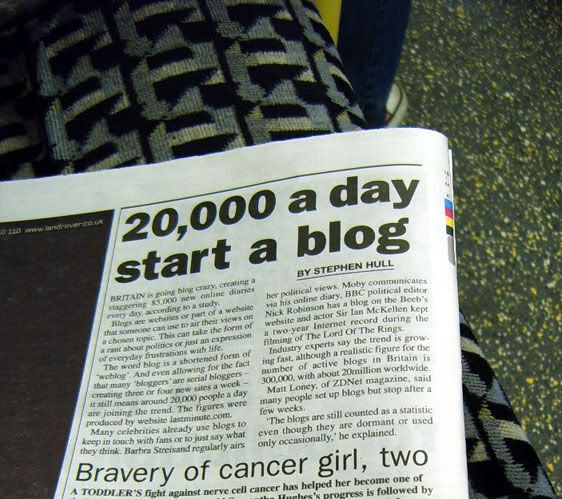
Indeed as I mentioned last week, 20,000 people start a blog every day. That’s an enormous amount of blogs hitting the Internet at any given time. For you, the process is going to be easy because we are going to walk through the details, step by step. This will allow you the opportunity to work within the confines of various platforms and blog topics. For our ongoing project, I used the process of checking keywords for maximum exposure and for examining the niche’ that we plan to cover.
Labels:
Articles,
Blogging Basics,
Blogging Resources
Friday, May 6, 2011
An Introduction to Blogging
I remember exactly where and when I read the words, “Blogging is the new Black”. I was a feature writer on a parenting site and watched slowly as my fellow writers moved from the community platform to their own individual blogs. I dismissed it and figured they were simply on a wild goose chase and would be back. They didn’t return. I eventually did what millions of others have done, I joined the world of the weblog.
Labels:
Articles,
Blogging Basics,
Blogging Resources
Subscribe to:
Posts (Atom)