

Showing posts with label Blogging Resources. Show all posts

Wednesday, July 6, 2011

Media Kit Services and Giveaway CLOSED


Are you a new review and giveaway blogger who needs that professional edge to your company pitch emails?  Or maybe you just need a fresh look to your exising media kit.  This Lil Piglet is now offering Media Kit services at an introductory rate.

I offer templates, such as the ones you see here (layout not backgrounds, backgrounds are custom), or custom media kit designs at your request.  All media kits will be send to you as a pdf file for ease of use and viewability by the intended recipient.  All media kits include your logo, colors and background, if you have one.  Email me at stacey(at)thislilpiglet(dot)net if you'd like a media kit designed for you without the giveaway.

Quicksheet Template: $25
Custom Media Kit (1 page): $45
Additional Pages: $10
Statistic/Information Updates: $5/update
Monthly Updates(once per month): $40/year ($20 savings if you purchase the year now)

To help kick off this introductory rate for the new Media Kit Service; I'm giving away one free Quicksheet Media Kit Template plus one free year of updates (up to once per month), a $85 value.  We're using Rafflecopter for this giveaway to make it even easier. 

Have fun and good luck! :)

Tuesday, June 28, 2011

Move Over Google Page Rank; Bring on MozRank


If you haven't already heard, Google has finally updated their Pagerank system.  Many of us, or at least most of us who monitor our stats on a regular basis, have been out of luck for many, many months.  I have been blogging for over a year and have only just finally ranked on the Google Pagerank system and it isn't for lack of jumping through all their hoops, Google simply doesn't update on a regular basis and even a semi-regular basis would be a huge stretch.  It seems as though Google doesn't really have a schedule at all and just sort of, flies by the seat of their pants.  A Google employee happens upon it one day months after the last update and thinks to him or herself, "Oh ya, I forgot about that; I guess I should update the GPR system while I'm thinking of it." and that's how it happens.  Are you at the whim of a Google employees memory?  Probably not but it sure seems that way.

Why is GPR on it's way out and MozRank on it's way in?  Well, GPR isn't really on it's way out, it's just unreliable and not because of the algorithms it uses to rank your site (they rank 1-10 like MozRank) but because their system isn't update on a regular enough basis. 


"MozRank is SEOmoz's general, logarithmically scaled 10-point measure of global link authority or popularity. and is very similar in purpose to the measures of link importance used by the search engines (e.g., Google's PageRank)."  If it's so similar to GPR, why bother?  Because MozRank not only is not as judgmental, meaning it doesn't punish your rank for silly rules such as moving from Blogger to WordPress, MozRank updates regularly which is extremely important in the blogging world where stats are everything when building PR relationships. 

Many companies will not consider building a relationship with bloggers who are below a certain GPR.  This is not to punish you as a blogger, it is a safety net for companies.  When marketing budgets are taken into account, companies want to ensure they are maximizing their targeted marketing plan.  What we need to do as bloggers is to educate.  Not only is GPR important but there are so many other statistical factors to take into account when deciding whether a blogger or website is worth building a relationship with, such as the blog or sites Alexa rank, MozRank, size of readership, including pageviews and uniques.  In the exploding world of social media, social media account statistics are important as well (Twitter, Facebook, etc.)

I first read about the MozRanking system via Simply Stacie.  My stats aren't nearly as impressive as Stacie's but I'm getting there.  The point is that if a high ranking, high traffic blog such as Simply Stacie is having issues with GPR, and she's not the only one, then possibly the GPR isn't as important as we all once thought it was.

To check your own MozRank stats go to:
  1. Website Grader - You will see a bunch of stats and somewhere near the bottom will be your MozRank.  This Lil Piglet ranks at a 3 here.
  2. Open Site Explorer - Once you type in your URL, click on the "Full List of Link Metrics" to find your MozRank.  This Lil Piglet ranks at a 3.04 here.
  3. Website Analyzer - This one was my favorite because it analyzes every detail of your blog (labels, SEO, backlinks and even a Fake Pagerank Checker).  This Lil Piglet ranks at a 3.04 here.  Website Analyzer also offers a prediction for your GPR.  Currently my GPR is a 2 and is predicted to be a 3 at the next GPR update.  Of course that would depend on at what future date GPR decides to update.
I know for me, I now include my MozRank in my list of stats for my media kit.  Speaking of a media kit, if you don't already have one or need a professional one done for you, email me at stacey (at) thislilpiglet (dot) net and I can  discuss the details of designing one for you.  Also, if you decide to post about the importance of MozRank or would like to link to this post, please let me know and I will post the link to your post here. :)

Wednesday, June 8, 2011

Ready to Make the Switch from Blogger to WordPress?


This Lil Piglet has teamed up with Blogelina to bring you this affordable option to transfer your blog  from Blogger to WordPress. Here's what Blogelina has to say:

The Total Blogger to WordPress Transfer Package

Have your blog transferred and save!


Why Make the Move?

The process of transferring your blog from either Blogger or WordPress.com to a hosted WordPress site can be a daunting one, but experts tend to agree that the move is an important one to make.
  • Less down-time for your blog! The hosting company that your hosting will be set up with guarantees 99.9% uptime.
  • No Meltdowns! You will no longer be at the mercy of Blogger for when you will or will not be able to access your blog (so you’ll never have to worry about that screen on the right).
  • More options for customizing your blog. With WordPress.org, plugins and theme features, you can make your blog into anything! The options are limitless when it comes to customizing your blog.

    Tuesday, June 7, 2011

    DIY Blogger to WordPress Transfer While Keeping Your GPR

    Are You Ready to Graduate to WordPress?

    If you are ready to make the move to WordPress, this is the guide you need! It outlines the exact steps to rewrite your permalinks, retain your back-links for SEO, keep your blog readers, and redirect your domain name. 

    Are you ready to make the move?

    Many people start their blogs on Blogger – it’s convenient, it’s free and it’s easy to use. It’s a perfect option to get your feet wet on the Internet.
    However, if you’re running a business or you hope to make money online, you probably realize that you’ve outgrown freebie blogging. And that’s when it’s time to move to WordPress.
    1. You know WordPress is more professional.
    2. You know WordPress offers functionality that Blogger doesn’t.
    3. Every blogger you admire keeps telling you it’s time to make the switch.
    And of course, on a self-hosted WordPress blog there is no risk of Google bots coming in and shutting down your blog because they think it’s spam. YOU own your blog. You are in complete control.

    Start Profiting from Your Blog in 4 Weeks: An Online Class

    As mentioned, This Lil Piglet has teamed up with Blogelina to bring you this 4 week online course to take your blog to the next level and start making a profit.  Here`s what Blogelina has to say:

    If you’re just getting started with blogging – or you’re looking for ways to take your blogging to the next level – consider joining us for this exciting 4-week class.

    Imagine, Earning an Income from YOUR Blog!

    What You’ll Get From This Online Class:

    • The Class Manual – packed with 60 pages of information that will help take the overwhelming out of starting your own blog
    • 4 weekly online class sessions where you can ask your questions and get personalized feedback
    • A FREE Year of Web hosting! I’m also pleased to announce that Blogelina is partnering with GoDaddy.com to provide each person who registers for Blogelina’s Online Class complimentary year of web hosting ($84 value)! That’s right – no strings attached, no hidden requirements… Just register for the class through the button below and start building your profitable blog today – on us! (Wondering why paid web hosting is so important for your blog? Oh, did I mention that the pros recommend it?)
    • Save yourself a lot of time, trouble, and money – learn from my own experiences what to do and not to do!

    Basic Blogging for Beginners: The Online Class

    This Lil Piglet is proud to announce that we have partnered with Blogelina to bring you this online class for Blogging Beginners.  If you`re new to WordPress, this class will benefit you too!  So what does Blogelina have to say about this special class?  Read the following details ...

     Incredible as it sounds, keep in mind that everything listed below is yours for just $10 (it’s valued at over $100) – no gimmicks, surprises, or hidden fees!


    If you’re new to WordPress, this is the class for you – get your questions answered!

    What You’ll Get From This Online Class

    • The Class Manual – packed with 35 pages of information that will help take the overwhelming out of starting your own blog
    • 4 weekly online class sessions where you can ask your questions and get personalized feedback
    • A FREE Year of Web hosting! I’m also pleased to announce that Blogelina is partnering with a major web hosting provider to give each person who registers for Blogelina’s Online Class complimentary year of web hosting ($84 value)! That’s right – no strings attached, no hidden requirements… Just register for the class through the button below and start building your profitable blog today – on us! (Wondering why paid web hosting is so important for your blog? Oh, did I mention that the pros recommend it?)
    • Save yourself a lot of time, trouble, and money – learn from my own experiences what to do and not to do!

    Sunday, June 5, 2011

    More on Wordpress Setup


    Moving into the last phase of the dirty work in my opinion, we are going to finish setting up our blog, So You Wanna Start a Blog in the Dashboard before moving on to working through a theme.  For me, I want to get to the writing as quickly as possible and often get through the basics and then go back and add the frills as I find I need them.  With that in mind, you will need to be logged into the “Dashboard” and then scroll down to the “Settings”.   

    Friday, May 27, 2011

    Personalizing Wordpress


    Each and every person who installs and sets up a blog will give you a few pieces of advice that are set in stone.   After those basic pieces of technology are covered, the process turns into personal preferences.  Obviously I’m going to give you some of the low down necessities, some of my secrets and some of my opinions.  From this point, very few of the steps outlined must be done in any particular order, if so; I’ll make a note of that for you.

    Tuesday, May 17, 2011

    Concentrating on a WordPress Set Up


    Now that we have registered the domain name, So You Wanna Start a Blog, and we’ve secured hosting for our blog, we can get a few more technical details out of the way.  Let me tell you that there are various hosting sites and the best host for you is the one that fits your needs as far as costs go.  My general opinion is to start small and upgrade later if you need more frills.  Once you’ve made up your mind and initiated the set up process, you will receive a set of “nameservers”.  That string will look something like “ns1234.yourhostingcompany.com” and “ns1235.yourhostingcompany.com”. 

    Wednesday, May 11, 2011

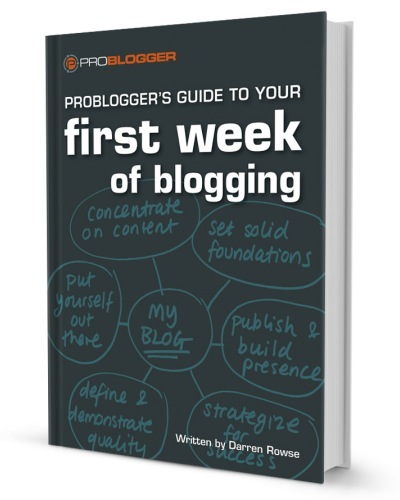
    50% OFF New Ebook - ProBloggers Guide to your First Week of Blogging


    ProBlogger’s Guide to your First Week of Blogging

    probloggers first week of blogging.jpg
    It can be overwhelming when starting a blog. You’ve got a lot of decisions to make…
    • niche selection
    • audience targeting
    • content planning
    • social media and promotions
    • post ideas
    • and more

    Making great early choices is vital to the long-term success of your blog.  Darren Rowse's new ebook guides you, day by day, through your first week of blogging so you can make the most of those critical first few days.


    A System that Works

    Your First Week of Blogging encapsulates the lessons Darren Rowse has learned, and the insights he's gained, over eight years and more than 30 new blogs.

    The ebook takes a systematic approach to the tasks that Darren believes are essential in the first week of a blog’s life. It’s the model Darren uses for every new blog he starts.
    • Learn foundational brainstorming techniques.
    • Create a content plan—and content, of course!
    • Build a social media presence.
    • Create practical quality assurance tools.
    • Set up a publishing process.
    • Master the components of a blog post.
    • Develop your blog’s ongoing strategy.
    Build solid blogging habits that will last you a lifetime as you complete each day’s exercises—and set your fledgling blog soaring!

    Launch Bonuses: if you buy ProBlogger’s Guide to your First Week of Blogging before 17 May you’ll get it for just $9.99 – that’s 50% off. You’ll also get entered into the draw to win a prize worth over $850 – see below for details.


    Darren Rowse's ebooks are an invaluable resource for beginner to professional bloggers; purchase the following ebooks to sky rocket your blog today:
    1. ProBlogger’s Guide to your First Week of Blogging Click here for more details
    2. 31 Days to Build a Better Blog Click here for more details
    3. Copywriting Scorecard for Bloggers Click here for more details

    So You Wanna Start a Blog

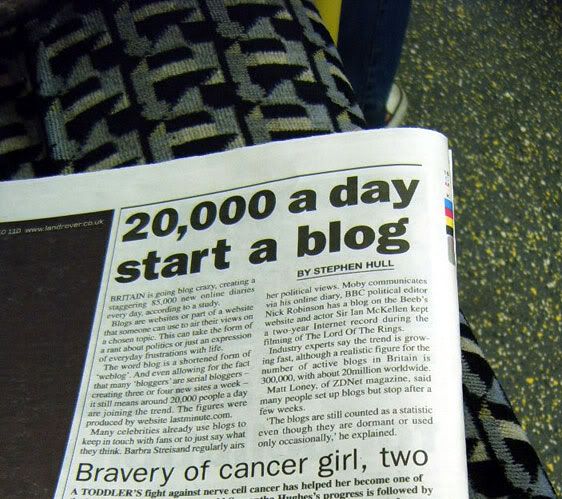
    Indeed as I mentioned last week, 20,000 people start a blog every day.  That’s an enormous amount of blogs hitting the Internet at any given time.  For you, the process is going to be easy because we are going to walk through the details, step by step.  This will allow you the opportunity to work within the confines of various platforms and blog topics.  For our ongoing project, I used the process of checking keywords for maximum exposure and for examining the niche’ that we plan to cover. 


    Friday, May 6, 2011

    An Introduction to Blogging


    I remember exactly where and when I read the words, “Blogging is the new Black”.  I was a feature writer on a parenting site and watched slowly as my fellow writers moved from the community platform to their own individual blogs.  I dismissed it and figured they were simply on a wild goose chase and would be back.  They didn’t return.  I eventually did what millions of others have done, I joined the world of the weblog.


    Related Posts Plugin for WordPress, Blogger...